

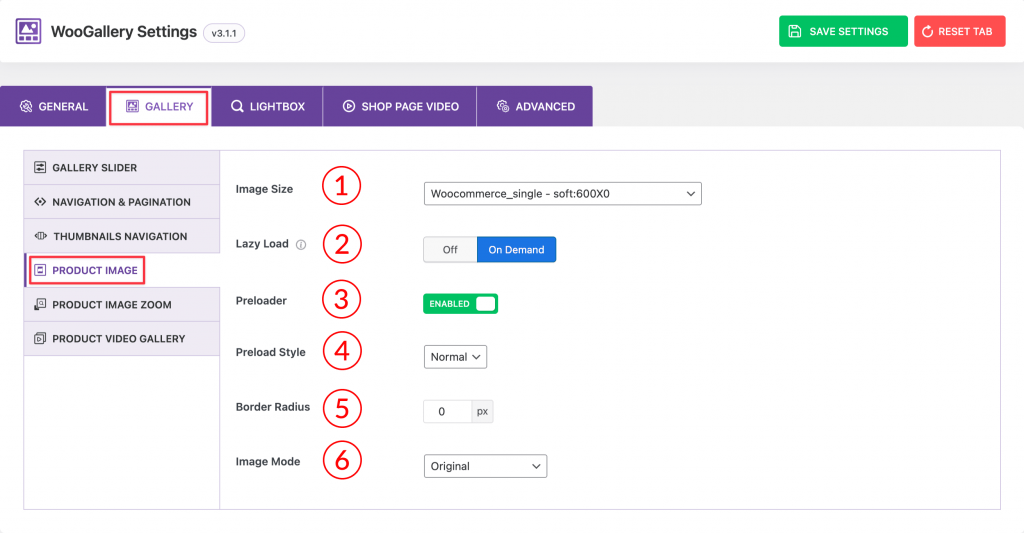
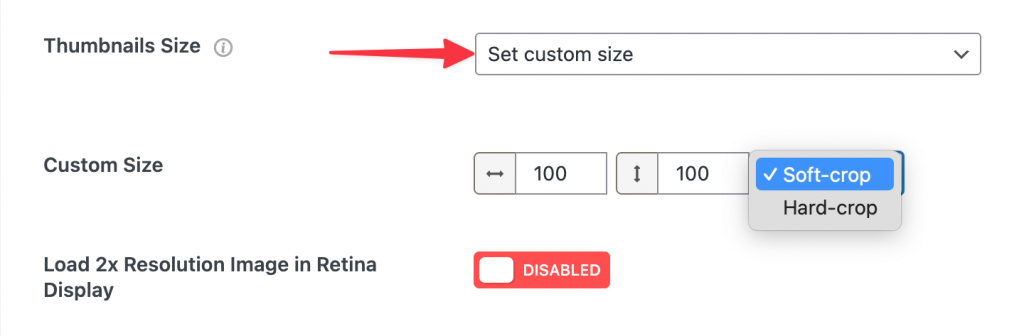
1) Image Size: Select any predefined image size for your product image from here. You can also set a custom size for your product image.
2) Lazy Load: Select Off or On Demand as you prefer for the lazy load option.
3) Preloader: Enable/Disable the preloader option from here.
4) Preload Style: Select any of the preload styles from four different styles available in the dropdown.
- Normal
- Fade
- Gray
- Blur
5) Border Radius: Set a border radius for your product gallery image from here if you like.
6) Image Mode: Select any of the image modes you prefer from the dropdown here. There are five different modes available:
- Original
- Grayscale
- Grayscale on hover